
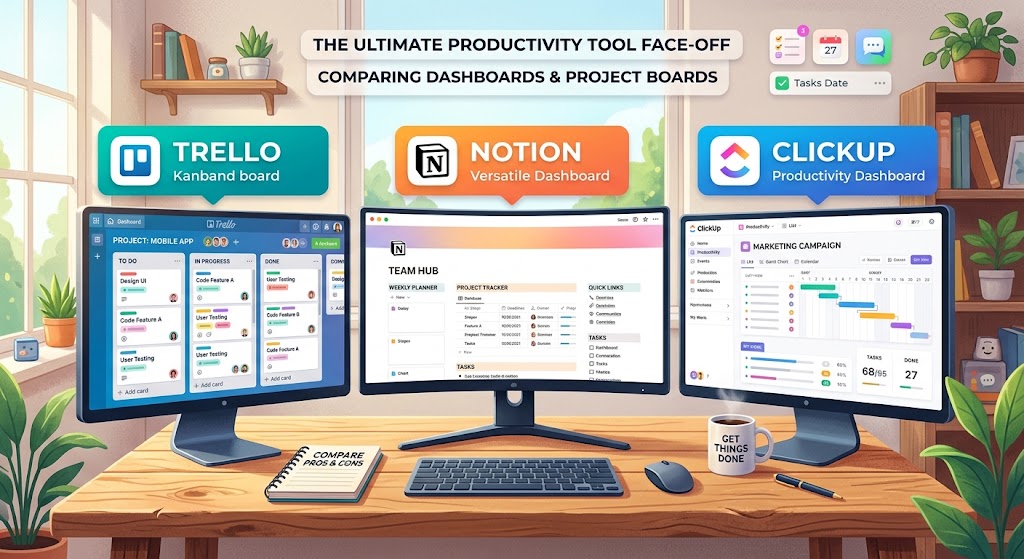
Are you looking for a tool to organize projects, manage tasks, and improve your team's productivity? We compare Notion, Trello, and ClickUp to help you choose the software that best fits your budget, processes, and the way you work.
Compare the Three ToolsChoosing between Notion vs. Trello vs. ClickUp can be difficult because all three platforms let you organize tasks and collaborate with other people, but they are designed with different priorities.
Notion combines documents, databases, and information management in a flexible workspace. Trello makes it easy to track tasks visually using Kanban boards. ClickUp, meanwhile, is focused on project management and offers different views, tracking tools, and automations.
In this guide, we analyze their main features, advantages, disadvantages, free plans, reference prices, and use cases so you can decide which tool is best for a freelancer, a startup, or a small business.
Notion vs. Trello vs. ClickUp: Comparison at a Glance
| Feature | Notion | Trello | ClickUp |
|---|---|---|---|
| Primary focus | Documents, knowledge, and databases | Visual boards and tasks | Comprehensive project management |
| Ease of use | Medium | Very high | Medium; may require configuration |
| Task management | Through databases and views | Through cards and boards | Through tasks, lists, and projects |
| Documentation and wikis | Excellent | Limited | Includes documents and wikis |
| Automation | Depends on features and integrations | Rules and automations depending on the plan | Built-in automations depending on the plan |
| Free plan | Yes, with limits for collaboration | Yes, up to 10 collaborators per workspace | Yes, with limits on some features |
| Ideal for | Knowledge and related tasks | Simple workflows | Projects with multiple requirements |
The main difference is not which tool has more features, but how each tool organizes work. Notion starts with content and information; Trello starts with visual cards; and ClickUp starts with tasks and projects.
1. Notion: Best for Documentation and Flexible Workspaces
What is Notion?
Notion is a digital workspace that lets you create documents, wikis, databases, and task-tracking systems. Its main advantage is that you can connect information and projects without keeping each item in a different application.
Try NotionKey features of Notion
- Documents and notes: create pages to organize ideas, meetings, and procedures.
- Databases: organize tasks, clients, projects, and content with custom properties.
- Multiple views: view information through tables, lists, boards, and calendars.
- Internal wikis: centralize manuals, resources, and company documentation.
- Templates: start with predefined structures and adapt them to your workflow.
- AI features: some artificial intelligence capabilities depend on the plan and current terms.
Pros of Notion
- Combines documentation and project organization.
- Lets you design custom systems.
- Is useful for building an internal knowledge base.
- Reduces the scattering of notes, procedures, and references.
Cons of Notion
- Setting up a complex workspace can take time.
- Projects with many dependencies may require additional tools.
- It is not as focused on specialized task management as ClickUp.
- Collaboration limits and available features vary by plan.
Who should use Notion?
Notion is especially useful for freelancers, editorial teams, consultants, startups, and small businesses that need to document processes, organize ideas, and track tasks from the same space.
2. Trello: Best for Simple Visual Task Management
What is Trello?
Trello is a visual management tool based on boards, lists, and cards. Its system makes it easy to understand which tasks are pending, which are in progress, and which have already been completed.
Try TrelloKey features of Trello
- Kanban boards: organize tasks by stage.
- Task cards: include descriptions, assignees, comments, and due dates.
- Checklists: break large activities into smaller steps.
- Power-Ups: expand boards through integrations and add-ons.
- Automation: use rules and automatic actions through the available features.
- Mobile apps: view and update tasks from mobile devices.
Pros of Trello
- It is easy to learn and use.
- It lets you start quickly without configuring a complex system.
- Its visual approach makes bottlenecks easy to spot.
- The free plan is useful for small projects.
- It can adapt to editorial calendars, sales processes, and task lists.
Cons of Trello
- Complex projects may need additional tools.
- Advanced reporting and visualization features depend on the plan.
- It does not replace a complete internal documentation platform.
- Dependency and resource management may be limited for certain teams.
Who should use Trello?
Trello is ideal for freelancers, small marketing teams, content creators, and businesses that need to organize a simple workflow without spending too much time on configuration.
3. ClickUp: Best for Comprehensive Project Management
What is ClickUp?
ClickUp is a productivity platform focused on tasks and projects. It lets you coordinate activities, assign owners, visualize timelines, and use tracking tools to manage a team's work.
Try ClickUpKey features of ClickUp
- Task management: assign owners, priorities, dates, and statuses.
- Multiple views: use lists, boards, calendars, and timeline or Gantt views depending on the available features.
- Project tracking: check progress and organize projects with multiple tasks.
- Docs and collaboration: connect documentation and operational work.
- Time tracking: track time through compatible features and plans.
- Automations: reduce repetitive tasks through automatic rules.
- Reporting: use dashboards and reports depending on the plan purchased.
Pros of ClickUp
- It offers a wide variety of project management features.
- It can adapt to simple or complex workflows.
- It includes tools to centralize tasks and documentation.
- It lets you automate certain processes.
- It has a free plan to start working.
Cons of ClickUp
- The number of options can create a learning curve.
- Configuring too many views can complicate daily use.
- Some features have limits or require a paid plan.
- Small teams may pay for capabilities they do not need.
Who should use ClickUp?
ClickUp is a good alternative for startups, digital agencies, operations teams, and companies coordinating several projects at the same time, needing detailed tracking, or wanting to automate internal processes.
Notion vs. Trello vs. ClickUp: Feature-by-Feature Comparison
Task management
ClickUp is a solid option when tasks have priorities, owners, dependencies, and related dates. Trello works well for simple flows that can be represented with cards. Notion lets you create task databases connected with documents and other resources.
Ease of use
Trello is usually the easiest to learn for organizing basic tasks. Notion requires deciding how to structure pages and databases. ClickUp offers more configuration options, which may require an adjustment period.
Documentation and knowledge management
Notion is especially suitable for documentation, wikis, and knowledge bases. ClickUp includes built-in documents to complement project management. Trello can store descriptions and files in cards, but it does not have the same documentation focus.
Automation and integrations
ClickUp has automations for project workflows. Trello includes automation through Butler and add-ons. Notion lets you automate certain processes, although advanced flows may require external integrations. Availability depends on each plan.
Collaboration and remote work
All three tools allow collaboration, but in different ways. Notion makes it easy to share knowledge; Trello offers a visual view of task status; and ClickUp provides more options for coordinating projects and activities across different owners.
| Criterion | Recommended winner | Why |
|---|---|---|
| Documentation and wikis | Notion | It is designed to organize content and knowledge. |
| Simple boards | Trello | The visual structure is easy to learn. |
| Advanced task management | ClickUp | It offers more tools dedicated to project tracking. |
| Documentation customization | Notion | It lets you build connected pages and databases. |
| Quick start | Trello | A basic board can be configured in a few minutes. |
| Projects with many stages | ClickUp | It has multiple views and planning features. |
Notion vs. Trello vs. ClickUp: Pricing and Free Plans
Price is important, especially for small teams looking to reduce operating expenses. However, you should compare not only the monthly cost but also user limits, included features, and the total cost for the whole team.
Notion
Free: US$0
The free plan is mainly aimed at individual use. For teams, check the collaboration limits and the terms of each plan.
Plus: reference price of US$10 per member/month.
Official pricing →Trello
Free: US$0
Includes up to 10 collaborators per workspace and up to 10 boards per workspace.
Standard: reference price of US$5 per user/month with annual billing.
Official pricing →ClickUp
Free Forever: US$0
It has a free plan with unlimited members and limits on storage and certain features.
Unlimited: reference price of US$7 per user/month with annual billing.
Official pricing →Reference prices in US dollars. They may vary by region, taxes, billing cycle, and commercial changes. Check the final price and current terms on the official pages before purchasing.
Which free plan is best?
For organizing simple tasks with a small group, Trello is a good starting point. For projects that need more management features, you can evaluate ClickUp. For organizing personal information, documentation, and light projects, Notion may be enough.
When should you upgrade to a paid plan?
Consider paying when free limits block your work, you need additional controls, you want more advanced automations, or you require planning and reporting features that are not included in your current plan.
Which One Should You Choose?
Choose Notion if…
- You need an internal wiki or knowledge base.
- You want to connect notes, documentation, and projects.
- You prefer designing a custom work system.
- Your team works heavily with documents and references.
Choose Trello if…
- You want a simple and visual tool.
- Your workflow has clear stages.
- You need to assign tasks without complex configuration.
- Budget and ease of adoption are priorities.
Choose ClickUp if…
- You manage several projects at the same time.
- You need different views to organize tasks.
- You want to automate repetitive activities.
- You need more tracking and planning tools.
Can You Use Notion, Trello, and ClickUp Together?
Yes. In some cases, combining tools can make sense if each one serves a different function. For example, a company could use Notion for documentation, Trello for a simple editorial workflow, and ClickUp for projects with many dependencies.
However, using three applications can increase costs and duplicate information. For most small teams, it is better to start with a single platform and add another only when there is a clear need.
How to Choose the Right Tool for Your Team
Before purchasing a plan, follow these steps to check which one best fits the way you work.
- Define the main problems you need to solve.
- Identify how many people will use the platform.
- Check which features are included in the free plan.
- Test the tool with a real project.
- Evaluate ease of use for all team members.
- Calculate the total cost, including possible add-ons.
- Review permissions and access controls for client data.
Project Management Software Cost Calculator
Calculate the estimated monthly cost for your team using the price per user that corresponds to the plan you are evaluating.
The calculator uses the amounts you enter. It does not include taxes, discounts, minimum fees, or additional add-ons.
Frequently Asked Questions
Is Notion better than Trello?
Notion is better when you need to combine documentation, databases, and tasks. Trello is simpler for organizing activities with Kanban boards. The choice depends on whether you prioritize knowledge management or visual task tracking.
Is ClickUp better than Notion?
ClickUp is usually more suitable for projects that require detailed tracking, different views, automations, and planning. Notion stands out for documents, wikis, and flexible databases. Neither one is the best for every case.
Is Trello good for small businesses?
Yes. Trello can be enough to manage tasks, campaigns, editorial calendars, and simple processes. If your business needs advanced reports or complex dependency management, also compare ClickUp and other specialized platforms.
Which tool has the best free plan?
It depends on your use. Trello offers visual boards with defined limits; ClickUp lets you work with unlimited members on its free plan, although some features and resources have limits; Notion offers a free plan that is especially useful for individuals, with restrictions for teams.
Can Notion replace Trello?
Yes, if you need basic boards and tasks related to documents. Trello may still be more convenient for teams that prefer a direct Kanban board without having to design a custom structure.
Can ClickUp replace Notion and Trello?
ClickUp can cover many project management, documentation, and board needs. However, if your team depends especially on Notion's document structure or Trello's simplicity, you should test the workflow before migrating.
Which project management tool is easiest to learn?
Trello is usually the easiest to start with for simple tasks. Notion requires learning how to organize pages and databases, while ClickUp may need more configuration due to its variety of features.
Final Verdict: Notion vs. Trello vs. ClickUp
There is no single answer for every team. The best choice depends on what type of work you need to organize and how much time you want to spend configuring the tool.
- Best for documentation: Notion.
- Best for simple visual task management: Trello.
- Best for comprehensive project management: ClickUp.
If you work on your own or need to centralize documentation and light projects, start by evaluating Notion. If you want to organize tasks with easy-to-understand boards, try Trello. If you need to coordinate projects with multiple owners, deadlines, and processes, evaluate ClickUp.
The smartest decision is to test two options with the same project, compare the user experience, and calculate the real cost before paying. A simple tool that your team uses every day can provide more value than an advanced platform that nobody keeps up to date.
Check the official features and plans to make an informed decision.
Editorial note: prices and features may change. Check the official terms before purchasing. This comparison is informative and does not constitute an independent performance test.