
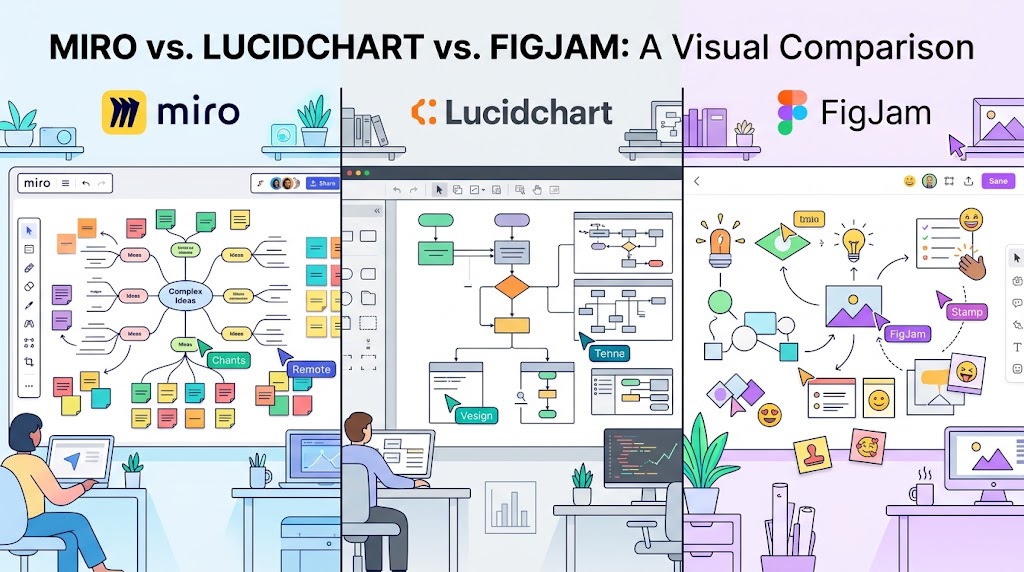
Choosing between Miro, Lucidchart, and FigJam can be difficult because all three tools help teams think visually, organize ideas, and collaborate online. However, they are designed around different workflows.
Miro is built for broad visual collaboration, Lucidchart focuses on structured diagrams and process mapping, and FigJam makes brainstorming and design-team workshops feel simple and approachable.
Find Your Best ToolIn this honest comparison, we examine the strengths, weaknesses, typical use cases, learning curves, and pricing considerations of Miro vs. Lucidchart vs. FigJam. The goal is not to declare one universal winner, but to help you select the right platform for your team.
Quick Verdict: Miro vs. Lucidchart vs. FigJam
Miro
A flexible online whiteboard for brainstorming, strategy planning, workshops, product discovery, and cross-functional collaboration.
Choose it if: Your team needs one shared visual workspace for many different activities.
Explore Miro →Lucidchart
A diagramming platform suited to flowcharts, technical diagrams, system documentation, organizational charts, and business processes.
Choose it if: Precision, readability, and structured documentation matter most.
Explore Lucidchart →FigJam
A collaborative whiteboard from Figma designed for ideation, feedback, brainstorming, and lightweight team activities.
Choose it if: Your team already uses Figma or needs an easy workshop space.
Explore FigJam →1. What Is Miro?
Miro is an online visual collaboration platform built around a flexible digital canvas. Teams can add sticky notes, diagrams, shapes, text, images, and other content to a shared board. Participants can work together in real time or contribute asynchronously.
Its flexibility makes it useful for a broad range of business activities, from early-stage idea generation to product roadmaps and retrospectives.
Key Miro features
- Large, flexible visual boards for complex projects.
- Templates for brainstorming, agile workflows, strategy, and workshops.
- Real-time collaboration and facilitation tools.
- Diagramming capabilities alongside freeform content.
- Integrations with selected project management, communication, and productivity tools.
- AI-assisted capabilities, depending on the plan and current product offering.
Miro pros and cons
Pros
- Highly versatile for different teams and projects.
- Works well for facilitated workshops and brainstorming sessions.
- Supports both structured and freeform visual thinking.
- Offers a wide range of templates and collaboration options.
Cons
- Large boards can become cluttered without clear organization.
- Teams may need time to establish consistent board conventions.
- Some advanced features and administrative capabilities depend on the subscription.
- It may offer more functionality than a team needs for simple flowcharts.
Best use cases: Product discovery, remote workshops, brainstorming, agile retrospectives, strategic planning, customer journey mapping, and cross-functional project planning.
2. What Is Lucidchart?
Lucidchart is a diagramming application designed to help people communicate complex information through structured visual representations. Instead of prioritizing a completely freeform canvas, it emphasizes diagram elements, connectors, layouts, and relationships.
This makes it particularly useful when a diagram must be easy to read, maintain, share, and understand over time.
Key Lucidchart features
- Flowcharts and process maps.
- Organizational charts and decision trees.
- Technical and system diagrams.
- Connectors, shapes, and alignment tools for structured layouts.
- Collaboration, comments, and sharing features.
- Integration options for selected workplace applications.
Lucidchart pros and cons
Pros
- Strong focus on formal diagrams and process documentation.
- Useful for IT teams, business analysts, operations, and engineering.
- Structured diagramming tools help maintain clarity.
- Suitable for documenting systems and workflows that evolve over time.
Cons
- Less naturally suited to freeform workshop activities than a whiteboard-first tool.
- Complex diagrams can still require planning and maintenance.
- Some advanced diagramming features may require a paid plan.
- May be unnecessary for teams that primarily use sticky notes and visual brainstorming.
Best use cases: Business process modeling, network diagrams, system architecture, workflow documentation, organizational structures, and technical communication.
3. What Is FigJam?
FigJam is Figma's online collaborative whiteboard. It focuses on making group activities approachable, especially for teams that brainstorm, discuss designs, gather feedback, and organize ideas together.
FigJam is particularly attractive to product designers and design teams because it complements the broader Figma design workflow. However, it can also be useful for marketing, education, planning, and general collaboration.
Key FigJam features
- Sticky notes, shapes, connectors, and freeform boards.
- Templates for brainstorming, retrospectives, and workshops.
- Interactive activities such as voting and timers, where available.
- Collaboration features for teams working together remotely.
- Connections to the wider Figma ecosystem.
- AI-assisted tools and other capabilities that may vary by plan.
FigJam pros and cons
Pros
- Approachable interface for quick collaborative sessions.
- Natural fit for product design and design feedback workflows.
- Convenient for teams already using Figma.
- Useful templates and interactive workshop elements.
Cons
- May be less suitable than a dedicated diagramming tool for detailed technical documentation.
- Teams outside the Figma ecosystem may have fewer reasons to choose it over alternatives.
- Advanced needs should be checked against the current feature set and subscription.
- Complex process diagrams may be easier to maintain in a specialized diagramming application.
Best use cases: Design critiques, product ideation, UX workshops, user journey brainstorming, creative collaboration, and team retrospectives.
4. Miro vs. Lucidchart vs. FigJam: Feature Comparison
The following table compares the tools by their typical strengths. It is a qualitative guide rather than a benchmark: specific capabilities can differ by subscription, integration, and product updates.
| Feature | Miro | Lucidchart | FigJam |
|---|---|---|---|
| General brainstorming | Excellent fit | Good for structured ideas | Excellent fit |
| Formal flowcharts | Good | Excellent fit | Suitable for simpler diagrams |
| Technical diagrams | Useful for many scenarios | Strong choice | Best for lightweight use |
| Team workshops | Excellent fit | Useful for structured sessions | Excellent fit |
| Design team workflows | Strong | Useful for diagrams | Strong choice |
| Process documentation | Good | Excellent fit | Suitable for simpler workflows |
| Freeform whiteboarding | Excellent fit | Not its primary focus | Excellent fit |
| Best overall audience | Cross-functional teams | Technical and operations teams | Design-oriented teams |
5. Which Tool Is Easiest to Use?
Ease of use depends on the task. Creating a quick brainstorming board is different from documenting a technical architecture or building a large process map.
FigJam: Simple collaborative sessions
FigJam is a strong starting point for teams that want to open a board, add notes, and begin collaborating without a lengthy setup. Its focused approach can be especially appealing to people who already work in Figma.
Miro: Flexible but broad
Miro can accommodate many different workflows, which is an advantage for teams with varied needs. The trade-off is that users may need to learn how to organize boards, templates, and information as projects grow.
Lucidchart: Structured diagramming
Lucidchart's diagramming approach can feel more intuitive when the goal is to build a flowchart or map a process. Users who only need informal brainstorming may find its structured workflow less necessary.
6. Miro vs. Lucidchart vs. FigJam: Pricing
Pricing is an important consideration, particularly when choosing software for a growing team. However, comparing only the starting price can be misleading because the tools may include different collaboration limits, export options, integrations, administrative controls, and AI features.
All three products have offered free access options, but the number of available boards, documents, features, or other resources may be limited. Paid plans and exact limits can change, so verify the current details before purchasing.
| Pricing consideration | What to check |
|---|---|
| Free plan | Board or document limits, collaboration access, and included tools. |
| Paid individual plan | Whether advanced features justify the recurring cost. |
| Team subscription | Per-user billing, minimum seats, and guest permissions. |
| Business or enterprise plan | Security controls, access management, compliance, and support. |
| Annual billing | Discounts, renewal terms, and cancellation conditions. |
For official pricing information, visit the providers directly:
Which is cheapest? There is no reliable universal answer without knowing the team size and required features. Compare the total annual cost for your actual users, rather than relying exclusively on an advertised entry-level price.
7. Which Tool Is Best for Different Teams?
For startups and small businesses
Miro is a good candidate if a small business needs brainstorming, planning, customer journey mapping, and team workshops in one environment. FigJam can be an attractive alternative for teams that prioritize quick collaboration. Lucidchart is worth considering when documenting processes is a core business requirement.
For software developers and IT teams
Lucidchart is often the stronger starting point for system diagrams, flowcharts, and technical documentation. Miro can complement that work during discovery sessions and architecture discussions. FigJam works well for early ideation but may not be the first choice for highly detailed technical diagrams.
For product managers
Miro is well suited to roadmapping workshops, prioritization, retrospectives, and product discovery. FigJam is useful for lightweight ideation and close collaboration with designers. Lucidchart is helpful when product managers need to explain workflows, dependencies, and business processes.
For UX and UI designers
FigJam is a natural fit for design critiques, user flows, brainstorming, and feedback sessions within a Figma-based workflow. Miro is also a strong option for larger discovery workshops, research synthesis, and cross-functional planning.
For operations and business analysts
Lucidchart is particularly useful when a team needs to map repeatable workflows, explain organizational structures, or document how systems interact. Miro can be valuable when those processes are still being explored or redesigned collaboratively.
8. Which Tool Has the Best Collaboration Features?
All three tools support collaborative work, but their value depends on the way your team works together.
- Miro: A strong fit for facilitated workshops, shared planning, and collaboration across departments.
- Lucidchart: Useful for co-authoring, reviewing, and maintaining structured diagrams.
- FigJam: Effective for low-friction ideation, design feedback, and interactive group activities.
Before choosing, test how each platform handles guest access, comments, permissions, version history, external collaborators, and asynchronous feedback. These details can matter more than the number of available templates.
9. Interactive Tool Finder: Which One Should You Choose?
Answer these two questions to get a recommendation based on your primary workflow and team environment.
10. Alternatives to Miro, Lucidchart, and FigJam
If none of these platforms matches your workflow, several alternatives are worth evaluating.
- Microsoft Visio: Consider it if your organization relies on Microsoft tools and requires formal diagramming capabilities.
- Whimsical: Explore it if you want a lightweight environment for wireframes, flowcharts, and visual planning.
- Excalidraw: Consider it for sketch-style diagrams and simple collaborative visual explanations.
- Canva Whiteboards: Explore it if your workflow already centers on Canva and visual content creation.
Compare each alternative's current features, sharing model, export options, and pricing before migrating existing boards or documentation.
11. Final Verdict: Miro vs. Lucidchart vs. FigJam
The best visual collaboration software is the one that fits the work your team actually performs. Buying a feature-rich platform is not necessarily beneficial if most of its capabilities remain unused.
Choose Miro if…
You need a flexible workspace for workshops, brainstorming, strategy, product discovery, and cross-functional planning.
Visit MiroChoose Lucidchart if…
You prioritize clear flowcharts, technical diagrams, process maps, and structured documentation.
Visit LucidchartChoose FigJam if…
You want approachable whiteboarding for design collaboration, brainstorming, and interactive team sessions.
Visit FigJamFor most teams looking for a broad visual collaboration environment, Miro is a sensible starting point. Lucidchart stands out for structured diagramming, while FigJam is especially appealing to teams working closely with designers in Figma.
When possible, run a short pilot with a real project. Test the tools with the same participants and tasks, then compare ease of use, output quality, collaboration, and total cost. This gives you a more useful answer than choosing based on marketing claims alone.
Frequently Asked Questions
Is Miro better than Lucidchart?
Miro is generally better suited to broad visual collaboration, brainstorming, and workshops. Lucidchart is typically a stronger choice for structured flowcharts, technical diagrams, and formal process documentation. The better option depends on your primary use case.
Is FigJam better than Miro?
FigJam can be preferable for lightweight design workshops and teams already using Figma. Miro is often a better fit for organizations that need a flexible workspace spanning many departments and project types.
Can Lucidchart replace Miro?
Lucidchart can replace Miro for teams whose main requirement is structured diagramming. It may not fully replace Miro for teams that rely on large brainstorming boards, workshops, and freeform visual collaboration.
Are Miro, Lucidchart, and FigJam free?
Each has offered a free access option, but feature availability, usage limits, and collaboration restrictions can vary. Check the official pricing pages for current terms before making a decision.
Which tool is best for flowcharts?
Lucidchart is generally the strongest starting point for formal flowcharts and structured process diagrams. Miro is useful when diagrams are part of broader collaborative workshops, while FigJam can handle simpler flows and design discussions.
Which tool is best for remote teams?
All three can support remote collaboration. Miro is well suited to cross-functional workshops, FigJam to creative and design-centered sessions, and Lucidchart to teams collaborating on diagrams and process documentation.
Ready to improve your team's visual workflow?
Start with the tool that matches your most frequent task, test it with a real project, and upgrade only when your team needs the additional capabilities.
Explore Miro Explore Lucidchart Explore FigJamEditorial note: This comparison is based on typical product positioning and use cases, not a controlled hands-on benchmark. Features, plans, and prices can change. Verify current details with each provider before purchasing.