
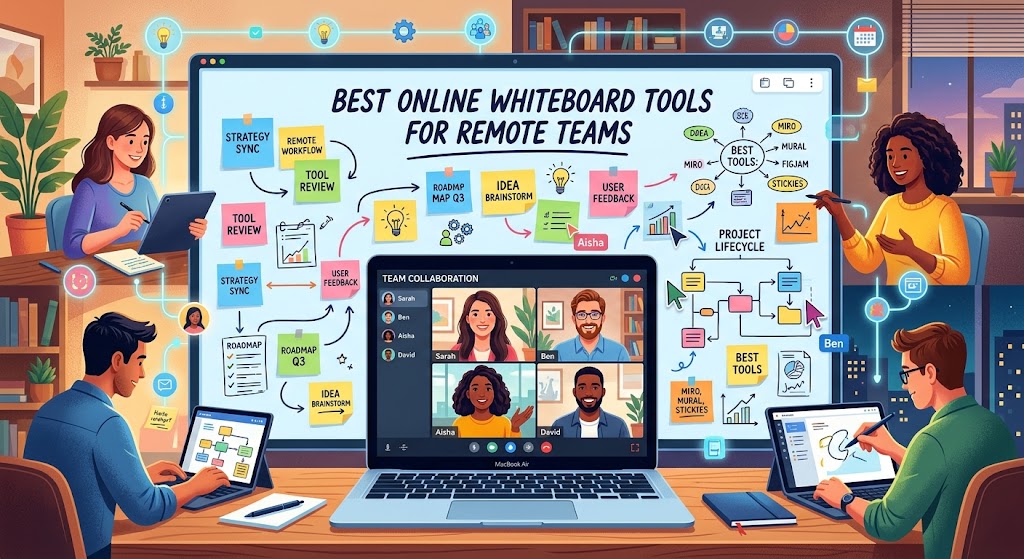
Looking for the best online whiteboard tools for remote teams? Discover the top virtual whiteboard platforms for brainstorming, project planning, online workshops, and real-time collaboration. Compare features, free options, and use cases to find the right software for your team.
Remote work has transformed the way businesses communicate, develop ideas, and manage projects. Online whiteboard tools provide a shared visual workspace where team members can brainstorm, draw diagrams, organize tasks, and collaborate from different locations.
Unlike traditional whiteboards, virtual whiteboards allow distributed teams to contribute simultaneously or work asynchronously. Many platforms include templates, sticky notes, comments, integrations, and visual planning features that make remote collaboration more productive.
In this guide, we compare seven of the best online whiteboard tools for remote teams: Miro, FigJam, Mural, Lucidspark, Microsoft Whiteboard, Excalidraw, and Whimsical.
Best Online Whiteboard Tools: Quick Comparison
The following table summarizes the main strengths of each platform. Free plans and feature limits can change, so check the official websites before choosing a subscription.
Showing all 7 tools.
| Tool | Best For | Free Access | Main Advantage |
|---|---|---|---|
| Miro | Remote teams | Free plan available | Templates and integrations |
| FigJam | Design and product teams | Free access available | Figma integration |
| Mural | Virtual workshops | Free plan available | Facilitation tools |
| Lucidspark | Brainstorming and diagrams | Free access available | Lucidchart connection |
| Microsoft Whiteboard | Microsoft 365 users | Available | Microsoft ecosystem |
| Excalidraw | Technical sketches | Free core tool | Simple hand-drawn diagrams |
| Whimsical | Flowcharts and wireframes | Free plan available | Clean visual workspace |
1. Miro: Best Online Whiteboard for Remote Teams
Miro is a versatile online whiteboard designed for brainstorming, project planning, product roadmaps, mind mapping, and team workshops. Its flexible canvas gives distributed teams a place to collect ideas and turn them into actionable plans.
Teams can use ready-made templates for sprint planning, retrospectives, customer journey mapping, and strategic planning. Comments, integrations, and collaboration features help connect whiteboard activities with everyday work.
Key Features
- Collaborative visual canvas.
- Templates for planning and brainstorming.
- Sticky notes, diagrams, and comments.
- Integrations with workplace applications.
- AI-assisted capabilities on supported plans.
Pros: Versatile, extensive templates, and suitable for multiple departments.
Cons: New users may need time to learn the interface, and advanced features may require a paid plan.
Best for: Remote teams looking for an all-purpose visual collaboration platform.
Explore Miro2. FigJam: Best for Design and Product Collaboration
FigJam is Figma's online whiteboard for visual brainstorming, team activities, product planning, and collaborative design discussions. It is especially useful for UX designers, product managers, and organizations already using Figma.
Its approachable interface helps teams map user journeys, organize research, collect feedback, and plan new features without needing a complicated setup.
Key Features
- Collaborative brainstorming boards.
- Sticky notes, shapes, and connectors.
- Templates for team activities.
- Integration with Figma design workflows.
- Visual organization of ideas and feedback.
Pros: Easy to use and well suited to design collaboration.
Cons: Teams needing advanced process diagrams or extensive workshop management may prefer another tool.
Best for: Designers, UX researchers, and product development teams.
Explore FigJam3. Mural: Best for Virtual Workshops
Mural focuses on structured visual collaboration. It helps facilitators run brainstorming sessions, strategy workshops, retrospectives, and collaborative problem-solving activities with remote participants.
Workshop templates and facilitation features make it easier to guide a group through an agenda instead of leaving everyone with an empty canvas.
Key Features
- Workshop and brainstorming templates.
- Sticky notes and visual frameworks.
- Voting and prioritization activities.
- Facilitation features on supported plans.
- Collaborative planning boards.
Pros: Well suited to organized meetings and facilitated group sessions.
Cons: May be more complex than necessary for simple drawings or occasional brainstorming.
Best for: Consultants, workshop facilitators, HR teams, and distributed organizations.
Explore Mural4. Lucidspark: Best for Brainstorming and Workflows
Lucidspark helps teams collect ideas, group related concepts, prioritize options, and organize discussions. It is especially useful when brainstorming needs to lead to a structured diagram or business process.
Its connection with Lucidchart can help teams move from an informal discussion to more detailed process maps and diagrams.
Key Features
- Shared brainstorming boards.
- Sticky notes and idea grouping.
- Visual organization tools.
- Templates for planning and problem-solving.
- Integration with Lucidchart.
Pros: Bridges the gap between brainstorming and structured diagramming.
Cons: Some advanced capabilities may require a paid subscription.
Best for: Business analysts, operations teams, and project managers.
Explore Lucidspark5. Microsoft Whiteboard: Best for Microsoft Teams Users
Microsoft Whiteboard provides a shared digital canvas for meetings, brainstorming, and collaborative planning. Its integration with Microsoft's productivity ecosystem makes it a convenient choice for businesses already using Microsoft Teams and Microsoft 365.
Key Features
- Shared whiteboards for collaboration.
- Text, drawings, shapes, and sticky notes.
- Collaboration within supported Microsoft workflows.
- Integration with Microsoft Teams.
- Familiar tools for existing Microsoft users.
Pros: Convenient for organizations already working in Microsoft 365.
Cons: Teams that need specialized workshop features may prefer a dedicated platform.
Best for: Businesses and educational institutions using Microsoft tools.
Explore Microsoft Whiteboard6. Excalidraw: Best Simple Whiteboard for Developers
Excalidraw is an open-source virtual whiteboard with a distinctive hand-drawn style. It is useful for software architecture, system diagrams, technical explanations, and quick visual discussions.
Rather than focusing on large enterprise workshops, Excalidraw emphasizes a lightweight drawing experience that lets users communicate ideas quickly.
Key Features
- Hand-drawn-style diagrams.
- Shapes, connectors, and arrows.
- Simple visual sketching.
- Open-source project.
- Self-hosting options and additional deployment possibilities.
Pros: Simple, flexible, and particularly useful for technical explanations.
Cons: Fewer built-in workshop management capabilities than enterprise-focused tools.
Best for: Developers, engineers, technical educators, and software teams.
Try Excalidraw7. Whimsical: Best for Flowcharts and Wireframes
Whimsical combines visual tools for flowcharts, mind maps, wireframes, and structured thinking. Its focused interface makes it easier to turn complex concepts into clear diagrams and organized plans.
It is particularly useful for product teams that need to sketch interfaces, document user flows, and explain processes without using several separate tools.
Key Features
- Flowcharts and process diagrams.
- Mind maps for brainstorming.
- Wireframes for interface planning.
- Templates and collaborative workspaces.
- Visual documentation features.
Pros: Clean interface and useful tools for organizing ideas visually.
Cons: Teams that rely on complex workshops may need a broader collaboration platform.
Best for: Startups, designers, product managers, and small remote teams.
Explore WhimsicalHow to Choose the Best Online Whiteboard for Your Team
Real-Time and Asynchronous Collaboration
Remote employees often work across different time zones. Choose a platform that supports live collaboration while allowing colleagues to leave comments, review boards, and contribute later.
Templates and Ease of Use
Templates for brainstorming, retrospectives, mind maps, and project planning can save time. A straightforward interface also makes it easier for occasional participants to contribute.
Integrations With Existing Software
Look for integrations with the tools your team already uses for communication, project management, design, and documentation. Connecting these workflows can reduce duplicated work.
Security and Permissions
Businesses should review sharing controls, user permissions, authentication options, data retention, and compliance documentation before putting confidential information on a whiteboard.
Pricing and Team Size
Compare free-plan limits, paid features, and the cost of the number of seats you need. Verify current pricing on the provider's official website because subscriptions and feature limits can change.
Which Virtual Whiteboard Is Best for Your Needs?
- Miro: Best all-around visual collaboration platform.
- FigJam: Best for designers and product teams.
- Mural: Best for facilitated workshops.
- Lucidspark: Best for structured brainstorming.
- Microsoft Whiteboard: Best for Microsoft 365 users.
- Excalidraw: Best for simple technical diagrams.
- Whimsical: Best for flowcharts and wireframes.
Frequently Asked Questions
What is the best online whiteboard for remote teams?
Miro is a strong all-around choice for remote collaboration. FigJam is particularly suitable for design teams, while Microsoft Whiteboard works well for organizations using Microsoft 365.
Are there free online whiteboard tools?
Yes. Miro, FigJam, Mural, Lucidspark, Microsoft Whiteboard, Excalidraw, and Whimsical offer free access or free-tier options. The available features and usage limits vary.
Can remote teams collaborate in real time?
Yes. Many online whiteboards let multiple users edit the same canvas, add notes, draw diagrams, and organize ideas simultaneously. Exact features depend on the platform and subscription.
Which whiteboard is best for online workshops?
Mural is a strong choice for facilitated workshops. Miro provides a flexible workspace for many types of collaboration, while FigJam is useful for design-focused activities.
Are online whiteboards secure for business use?
Security depends on the provider, subscription, and configuration. Review access permissions, authentication, data handling practices, and applicable compliance requirements before sharing confidential information.
Do I need to install software to use an online whiteboard?
Many virtual whiteboards can be accessed through a web browser. Some also provide desktop or mobile applications. Check each provider's supported browsers, devices, and collaboration requirements.
Final Verdict
The best online whiteboard tools for remote teams make it easier to brainstorm, plan projects, and communicate ideas visually. Miro is a versatile starting point for most teams, FigJam excels in design workflows, Mural supports structured workshops, and Microsoft Whiteboard fits naturally into the Microsoft ecosystem.
For simpler needs, Excalidraw and Whimsical offer focused alternatives for technical sketches, diagrams, and visual planning. Compare the features that matter to your team, test the available free options, and choose the tool that fits your workflow and budget.